Research Note: Advanced Sketch Editing and Feature Application in SolidWorks

1. Objective

The objective of this stage is to apply advanced sketch editing, constraint, and feature tools in SolidWorks to design and refine the structural components of a portable water purifier. This process ensures precision, functionality, and manufacturability in the 3D model under the supervision of our instructor.

2. Summary of Learning

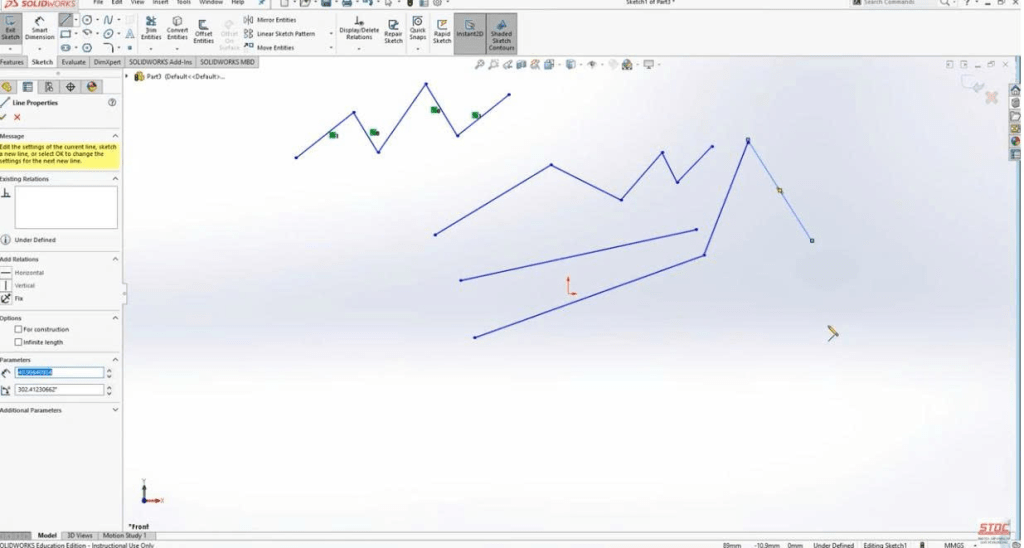
In this research session, our team explored advanced sketching and feature tools in SolidWorks. We practiced using Trim Entities, Extend Entities, and Offset Entities to edit and adjust sketches efficiently. In addition, we applied Geometric Relations such as Parallel, Perpendicular, Tangent, and Equal to fully constrain sketches and maintain dimensional accuracy after modifications.

We then learned to use the Extrude Cut feature to remove material from solid models, creating holes, slots, and internal cavities—essential elements for pipe connectors and filter housings in the purifier. Important precautions were emphasized, including selecting the correct sketch plane, verifying cut direction, and avoiding undesired intersections between components.

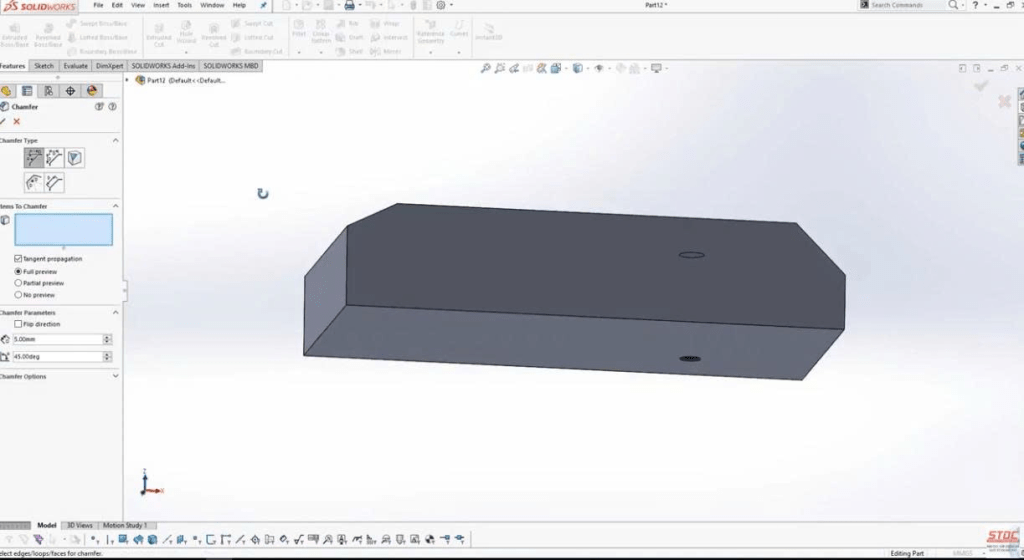
Furthermore, we studied key Feature Tools such as Hole Wizard, Chamfer, and Fillet. The Hole Wizard enabled the creation of standardized screw holes for consistent assembly alignment, while Chamfer and Fillet enhanced both functionality and aesthetics by removing sharp edges and improving surface transitions.

3. Application to Water Purifier Design

These tools were directly applied to the development of the purifier’s main structure. Advanced sketch editing and constraint commands helped refine the designs of the connecting pipes and filter holders, ensuring geometric precision. The Extrude Cut tool was used to create internal flow passages and openings, while the Hole Wizard provided accurate placements for screws used in frame assembly.
Additionally, Chamfer and Fillet features were implemented to improve mechanical durability, user safety, and maintenance convenience by eliminating sharp or fragile edges.

4. Conclusion

Mastering advanced sketching and feature tools in SolidWorks is essential for producing accurate, manufacturable, and realistic 3D components. Through this stage, our team strengthened its technical ability to translate design intent into functional solid models. These skills form the foundation for prototype fabrication and ensure that all parts meet the structural and functional standards required for the Eco Filter Project.

5. Next Step

Our next phase will focus on Assembly Tools in SolidWorks, where all designed parts will be integrated into a complete 3D assembly for mechanical testing, motion simulation, and visualization of the final portable water purifier.

Research Note – Application of Basic Sketching Commands in SolidWorks for Water Purifier Design

1. Objective

The objective of this stage is to apply fundamental sketching techniques in SolidWorks to design the structural components of a portable water purifier. This step marks the transition from basic interface familiarity to practical design application, carried out under the supervision of our instructor.

2. Summary of Learning

In this research phase, our team learned to create precise 2D sketches using the Basic Sketching Commands in SolidWorks. We began by selecting appropriate sketch planes—Front, Top, or Right—and utilized essential tools such as Line, Rectangle, Circle, and Arc to define basic geometries.
We then applied Smart Dimensions to specify exact measurements and Geometric Relationships (Parallel, Perpendicular, Tangent) to ensure that the sketches were fully constrained and geometrically stable.

Additional functions like Trim Entities, Offset Entities, and Mirror Entities were used to refine and optimize sketch structures. For instance, the Trim command allowed us to remove unnecessary segments, while the Mirror tool enabled the efficient creation of symmetrical shapes. Color indicators in SolidWorks (blue – under-defined, black – fully defined, red – over-defined) provided real-time feedback on sketch accuracy and definition.

3. Application to Water Purifier Design

These sketching techniques were directly applied to define the 2D profiles of key components, including the filter housing, connecting pipes, and base frame of the portable purifier. Accurate sketching ensured that each component would align properly during the 3D assembly stage and meet the mechanical and functional requirements of the purifier.
By consistently using geometric constraints and precise dimensions, our team established a uniform design standard, ensuring structural consistency across multiple parts before extrusion into 3D models.

4. Conclusion

This stage strengthened our team’s ability to develop accurate and well-constrained 2D sketches in SolidWorks. Mastering these basic sketching commands forms the foundation for creating detailed 3D models in subsequent phases. The skills gained in this step are essential for ensuring dimensional accuracy, geometric stability, and overall compatibility among components in the Eco Filter Project.

5. Next Step

In the next research stage, our team will proceed to Lesson 3: “Creating 3D Features in SolidWorks.”
→ The upcoming tasks will involve extruding and revolving sketches to generate solid models of the purifier’s main body, housing, and handle components.

Eco Filter Project


Research Note – Initial Phase: Learning SolidWorks Interface for Portable Water Purifier Design

1. Objective

The objective of this stage is to familiarize our research team with the SolidWorks interface and its fundamental operations in preparation for the 3D design of a portable water purifier. Understanding the software environment is essential for developing accurate models of mechanical components during later design phases under the supervision of our instructor.

2. Background

SolidWorks is a professional CAD (Computer-Aided Design) software widely used in mechanical engineering and product development. Since this research involves designing and simulating the mechanical parts of a water purification system, it is crucial for our team to master the software’s basic functions—such as interface navigation, workspace configuration, and model manipulation. Acquiring these skills ensures accuracy and consistency throughout the entire design and development process.

3. Summary of Learning

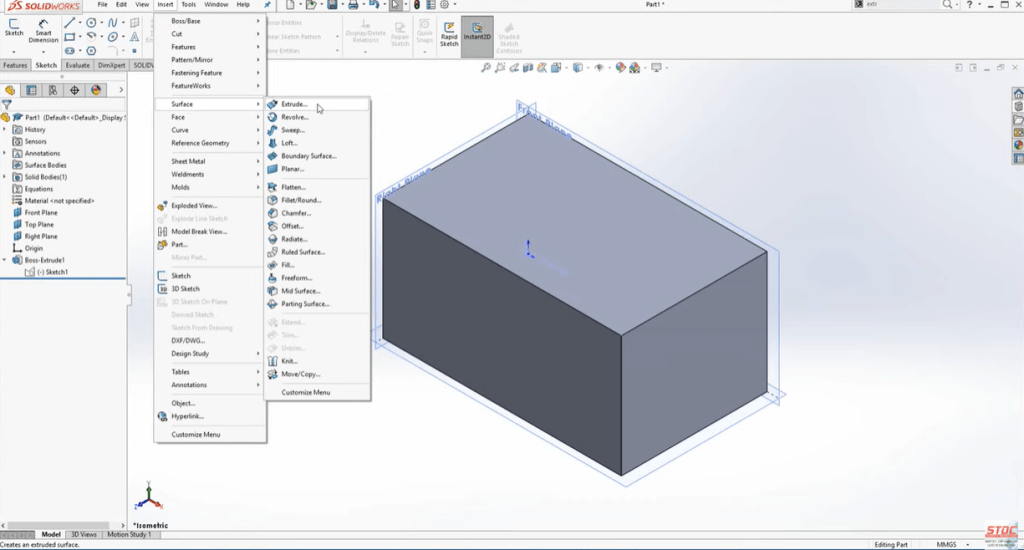
Our team completed the lesson “Basic Interface and Operations in SolidWorks 2017–2022.”
During this stage, we learned to identify and utilize key interface elements:

  • Menu Bar: provides access to file and system functions.
  • Command Manager: contains essential modeling tools.
  • Feature Manager Design Tree: organizes model features and hierarchy.
  • Graphics Area: allows 3D visualization, rotation, zooming, and panning of objects.

We also practiced customizing the workspace by adjusting units from inches to millimeters and hiding unnecessary toolbars to create a cleaner and more efficient environment. These operations are fundamental for smooth modeling in the following stages of the project.

4. Application to Research

The knowledge gained in this phase will be applied to the design of critical components of the portable water purifier, including:

  • The outer housing that contains the filter and water chamber,
  • Connector joints that manage water inflow and outflow, and
  • The filter compartment that stores purification materials.

By gaining a solid understanding of the SolidWorks interface, our team can create precise sketches and assemblies, ensuring both mechanical functionality and portability in the final prototype. This stage also laid the groundwork for efficient collaboration during the 3D modeling process.

5. Conclusion

This initial research stage successfully established a technical foundation for 3D modeling in SolidWorks. Under the guidance of our supervising teacher, our team developed confidence in navigating the software and performing essential operations. These skills will support subsequent stages of the Eco Filter Project, where mechanical parts will be modeled and assembled into a complete system.

6 .Next Step:
Proceed to Lesson 2 — “Basic Sketching Commands in SolidWorks”
→ Begin creating 2D sketches for the filter housing and handle structure of the portable purifier.