Research Note – Initial Phase: Learning SolidWorks Interface for Portable Water Purifier Design
1. Objective
The objective of this stage is to familiarize our research team with the SolidWorks interface and its fundamental operations in preparation for the 3D design of a portable water purifier. Understanding the software environment is essential for developing accurate models of mechanical components during later design phases under the supervision of our instructor.
2. Background
SolidWorks is a professional CAD (Computer-Aided Design) software widely used in mechanical engineering and product development. Since this research involves designing and simulating the mechanical parts of a water purification system, it is crucial for our team to master the software’s basic functions—such as interface navigation, workspace configuration, and model manipulation. Acquiring these skills ensures accuracy and consistency throughout the entire design and development process.
3. Summary of Learning
Our team completed the lesson “Basic Interface and Operations in SolidWorks 2017–2022.”
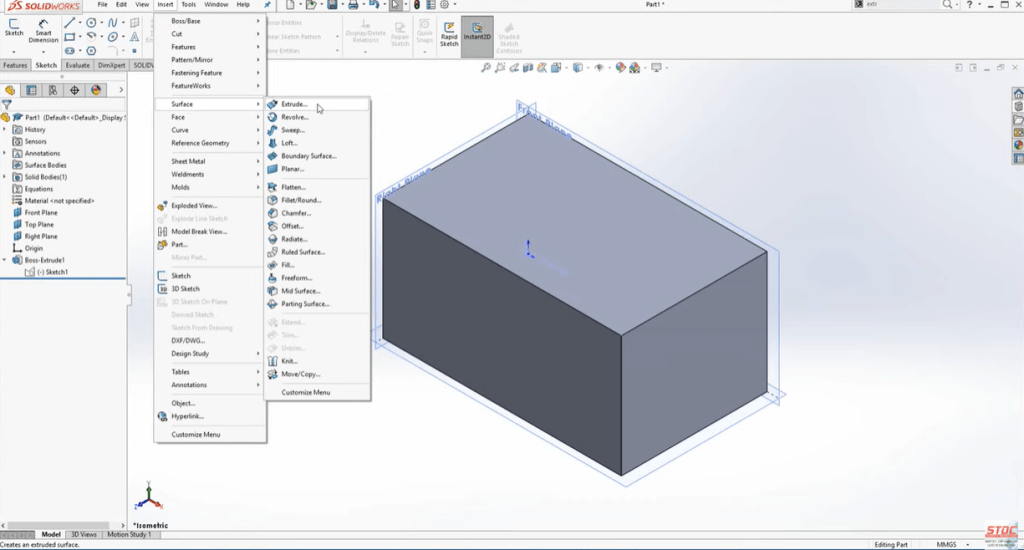
During this stage, we learned to identify and utilize key interface elements:
- Menu Bar: provides access to file and system functions.
- Command Manager: contains essential modeling tools.
- Feature Manager Design Tree: organizes model features and hierarchy.
- Graphics Area: allows 3D visualization, rotation, zooming, and panning of objects.
We also practiced customizing the workspace by adjusting units from inches to millimeters and hiding unnecessary toolbars to create a cleaner and more efficient environment. These operations are fundamental for smooth modeling in the following stages of the project.
4. Application to Research
The knowledge gained in this phase will be applied to the design of critical components of the portable water purifier, including:
- The outer housing that contains the filter and water chamber,
- Connector joints that manage water inflow and outflow, and
- The filter compartment that stores purification materials.
By gaining a solid understanding of the SolidWorks interface, our team can create precise sketches and assemblies, ensuring both mechanical functionality and portability in the final prototype. This stage also laid the groundwork for efficient collaboration during the 3D modeling process.
5. Conclusion
This initial research stage successfully established a technical foundation for 3D modeling in SolidWorks. Under the guidance of our supervising teacher, our team developed confidence in navigating the software and performing essential operations. These skills will support subsequent stages of the Eco Filter Project, where mechanical parts will be modeled and assembled into a complete system.
6 .Next Step:
Proceed to Lesson 2 — “Basic Sketching Commands in SolidWorks”
→ Begin creating 2D sketches for the filter housing and handle structure of the portable purifier.
 Tiêu đề